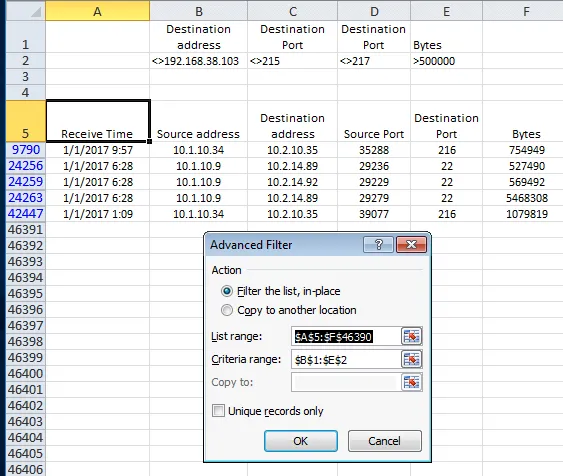
Filtering systematically through a lot of data you may need to slowly exclude rows one by one based on your findings or root cause process. I used advanced filters to accomplish this.
Examples here:
After applying a filter with:
- excluding 192.168.38.103 and
- excluding Destination Ports 215 and 217 and
- showing only rows with bytes > 500 000
Use Data -> Advanced Filter and Select the correct ranges