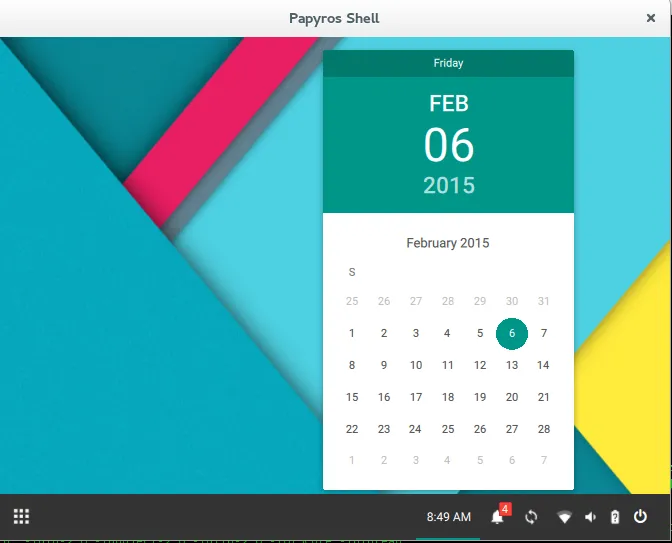
Since I want to capture what I did to take a look at the initial stages Papyros shell I am jotting down what worked for me. It sounds like soon the developers will have working downloadable images to try so its worth waiting for those. Getting ArchLinux going in Virtualbox is out of scope.
At this point though I just wanted to see what it looks like. Sounds like the best option should be the powerpack route: https://github.com/papyros/powerpack
Unfortunately that has a bug right now: https://github.com/papyros/powerpack/issues/6
I tried some of the other options also but ultimately below is the only one that worked for me.
Get yaourt going: https://www.digitalocean.com/community/tutorials/how-to-use-yaourt-to-easily-download-arch-linux-community-packages
yaourt -S qt5-baseyaourt -S qt5-wayland-dev-gityaourt -S qt5-declarative-gityaourt -S qt-settings-bzr
mkdir Papyroscd Papyros
git clone https://github.com/papyros/qml-extrascd qml-extrasqmakemakesudo make installcd ../
git clone https://github.com/papyros/qml-materialcd qml-materialqmakemakesudo make installcd ../
git clone https://github.com/papyros/qml-desktopcd qml-desktopqmakemakesudo make installcd ../
git clone https://github.com/papyros/papyros-shellcd papyros-shell
qmake** Had to fix multiple file not found references here ~/Papyros/papyros-shell/papyros-shell.qrc
** Just find the correct location under Papyros tree and update references.
** Plus comment out InteractiveNotification.qml with <!– .. >
make./papyros-shell -platform xcb